CapaKraken
Resource & Capacity Planning for 3D Production Studios
Plan teams. Track chargeability. Forecast budgets. Staff smarter.






---
## What is CapaKraken?
CapaKraken is a full-stack resource planning and project staffing tool built for 3D production environments (VFX, animation, automotive visualization). It replaces spreadsheet-based capacity planning with a real-time, multi-user web application.
### Key Capabilities
- **Interactive Timeline** -- Drag-and-drop resource allocation across projects with day/week/month zoom, sub-lane stacking, heatmap overlays, and vacation integration
- **Chargeability Forecasting** -- Monthly chargeability reports with target comparison, drill-down grouping, holiday-aware SAH calculations, and Excel/CSV export
- **Budget & Cost Tracking** -- Real-time budget burn rate, daily cost projections, and cost-per-allocation tracking with currency support (cents-based precision)
- **Estimating System** -- Full CRUD estimate workspaces with versioning, approval workflows, planning handoff, rate cards per client, experience multipliers, and shoring ratios
- **Staffing & Demand** -- Open demand tracking, AI-assisted profile matching, skill gap analysis, and demand-to-assignment conversion
- **Scenario Planning** -- What-if scenarios for allocation changes with baseline comparison and simulation
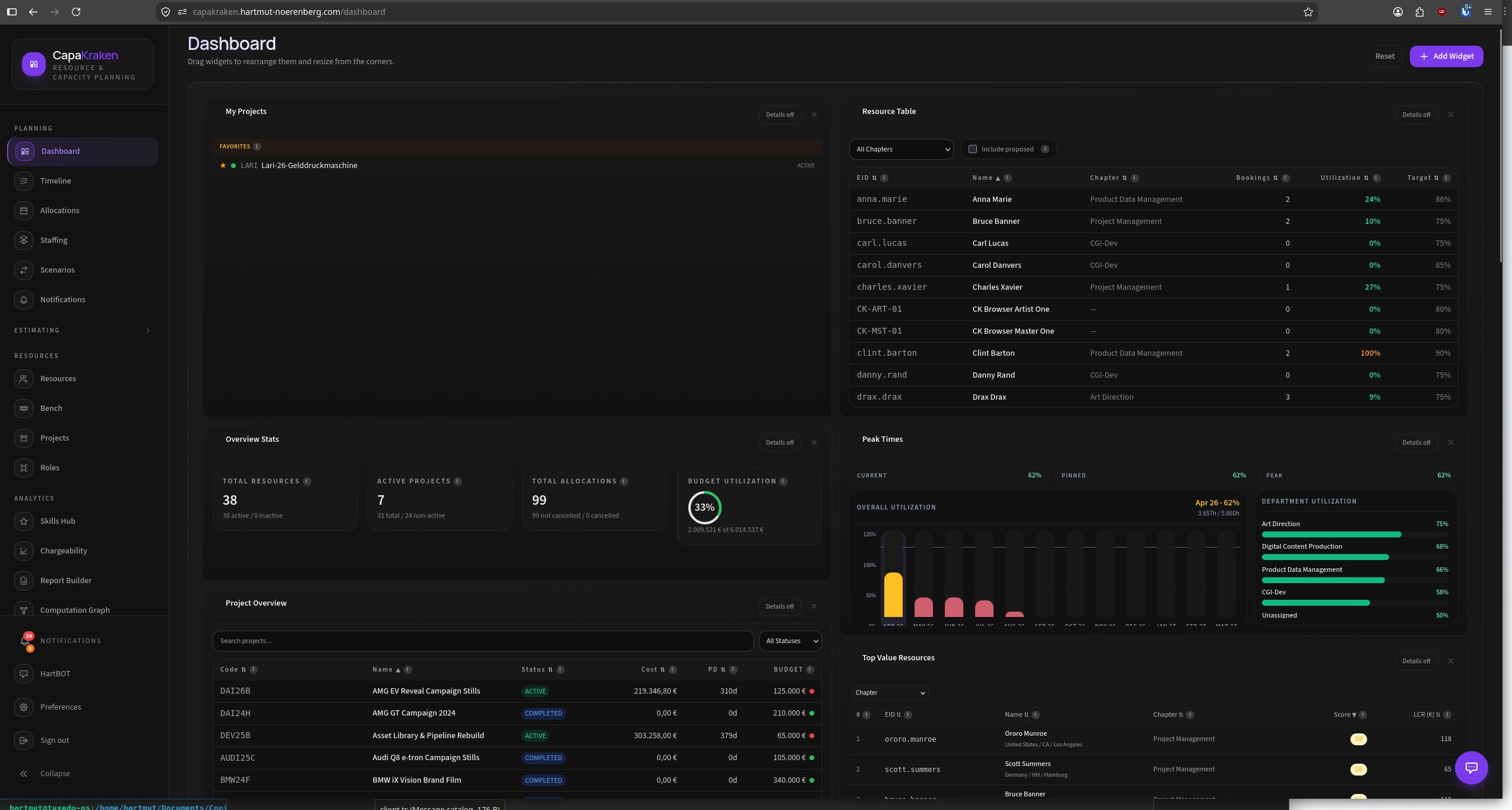
- **Customizable Dashboards** -- Widget-based dashboards with drag-and-drop layout, 10+ widget types, and per-user preferences
- **Blueprint System** -- Dynamic custom fields on projects and resources via admin-defined blueprints
- **Role & Skill Management** -- Hierarchical roles, management levels, skill matrices, and competency tracking
- **Multi-tenant Client Hierarchy** -- Nested client/chapter structure with project assignment and chargeability scoping
---
## Screenshots
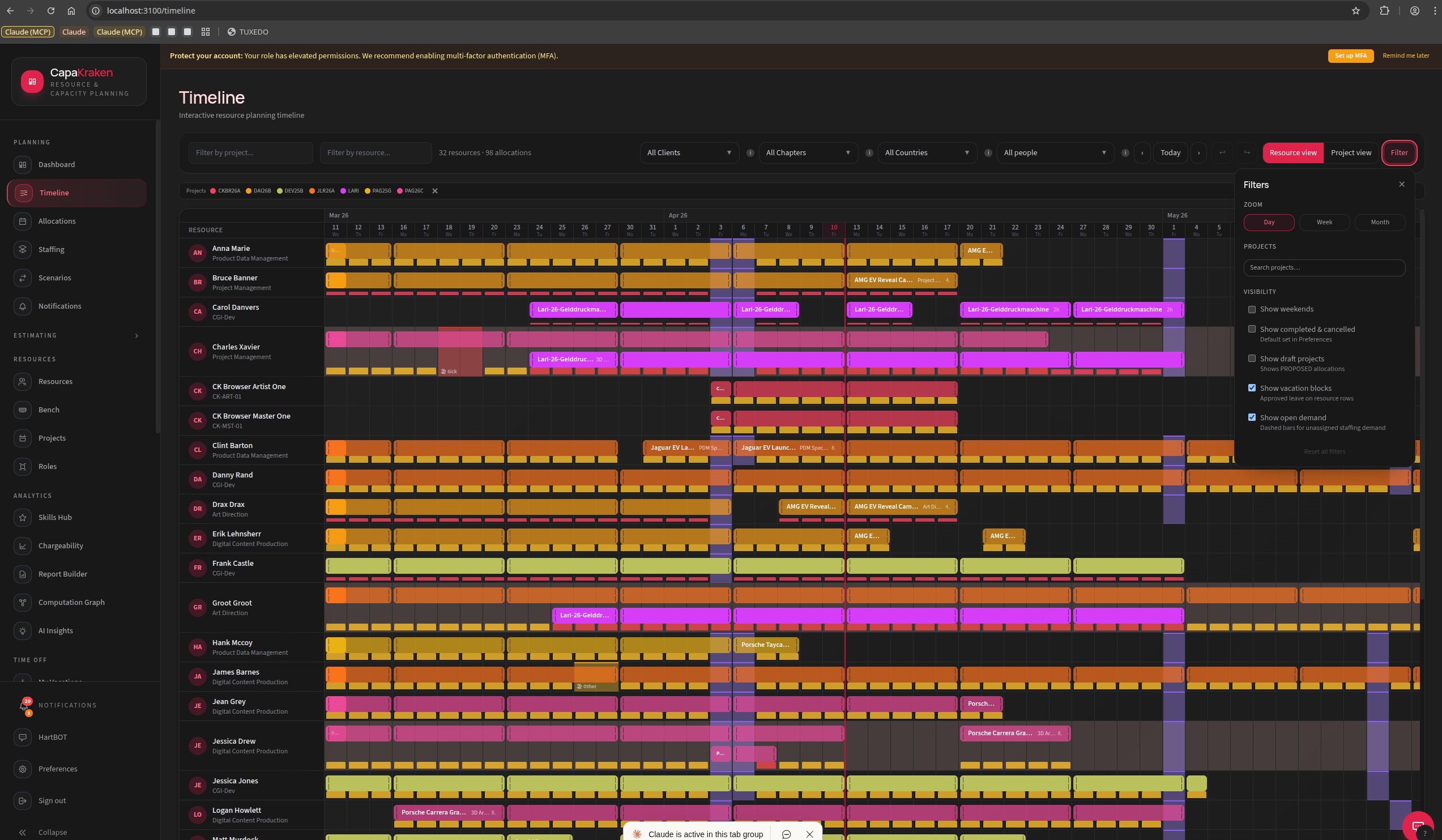
Timeline with resource allocations, vacation overlays, and weekend highlighting
|
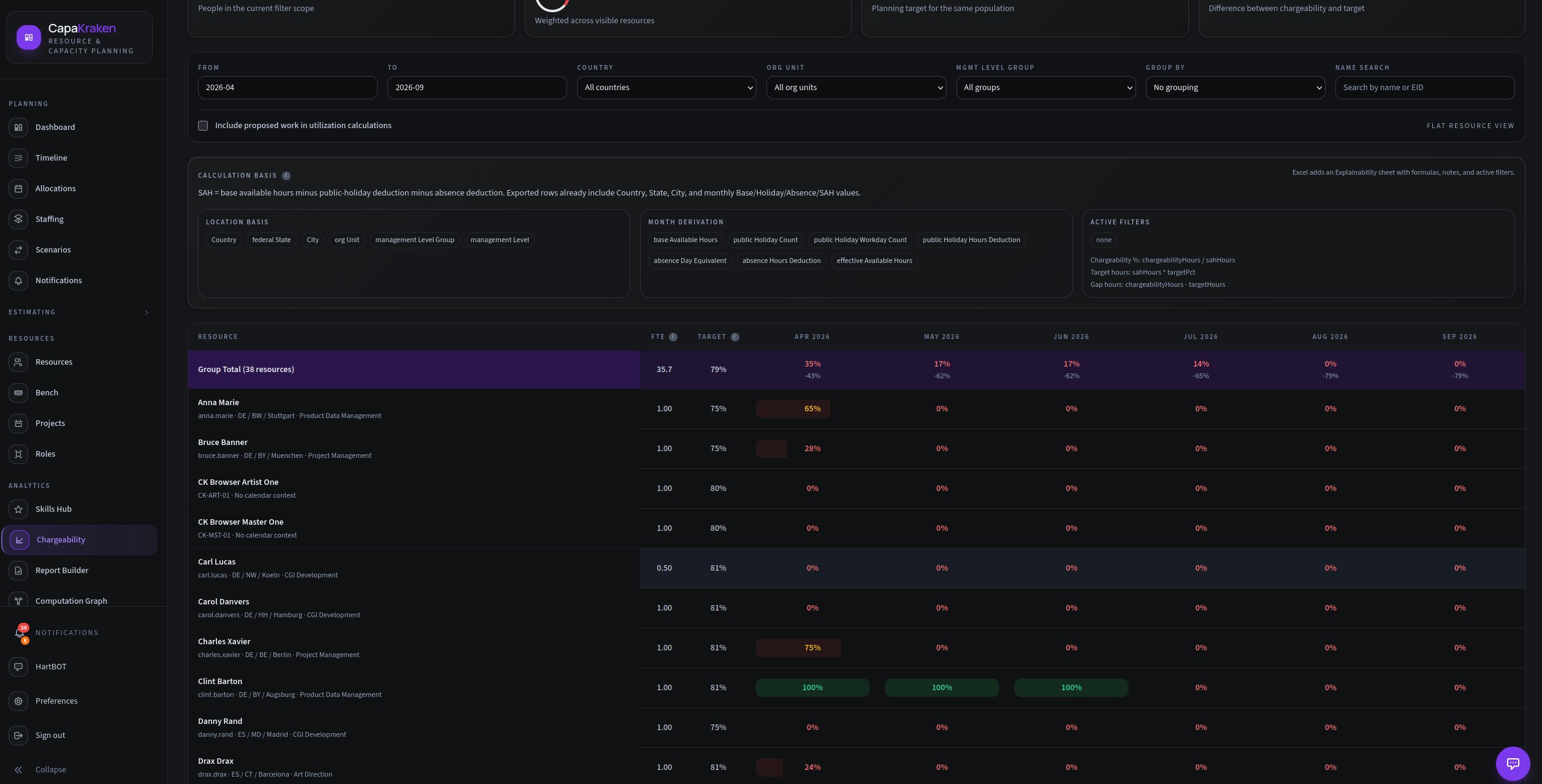
Chargeability forecast with monthly breakdown and holiday deduction rules
|
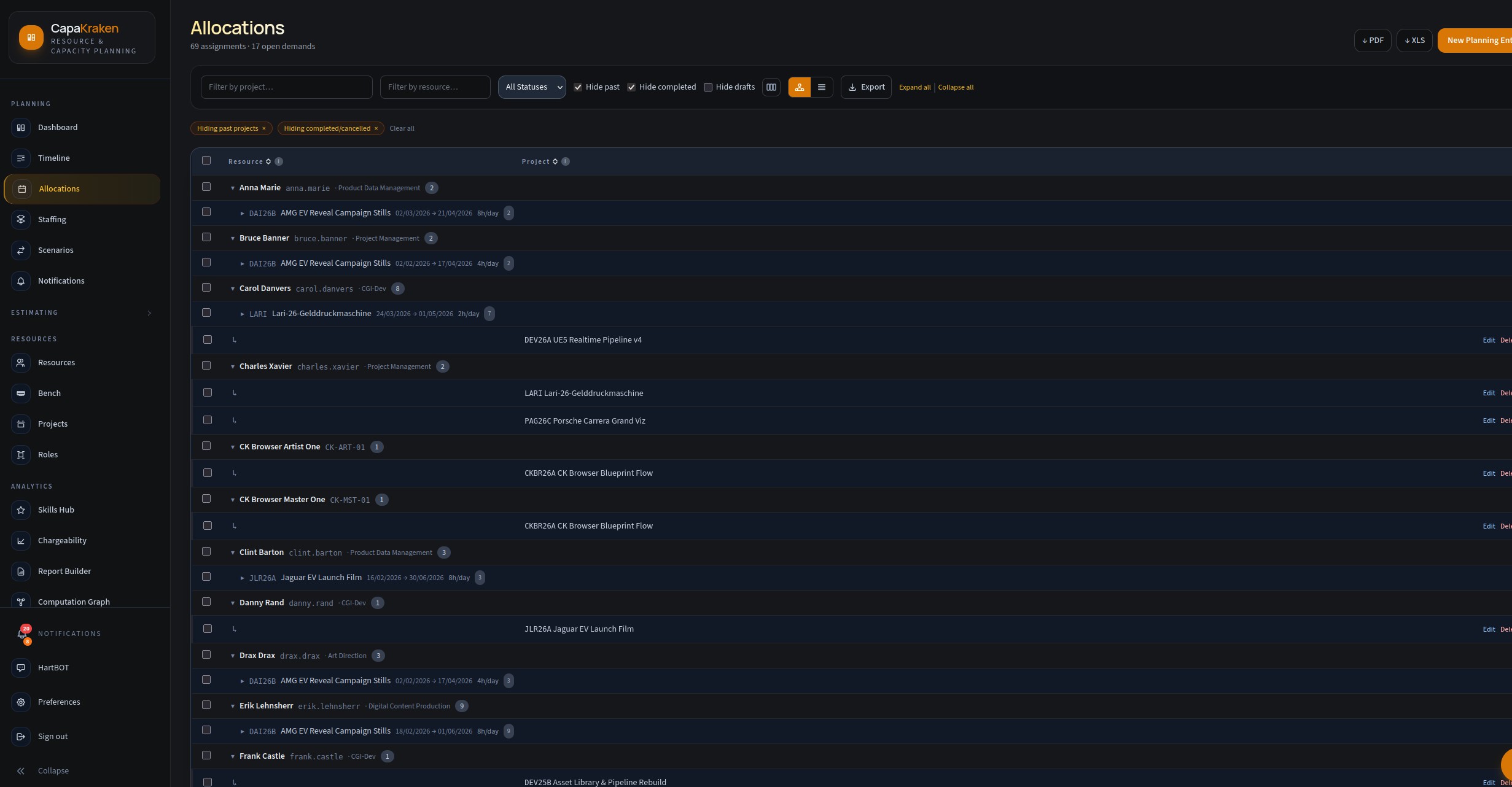
Allocation management with status badges, project grouping, and inline editing
|
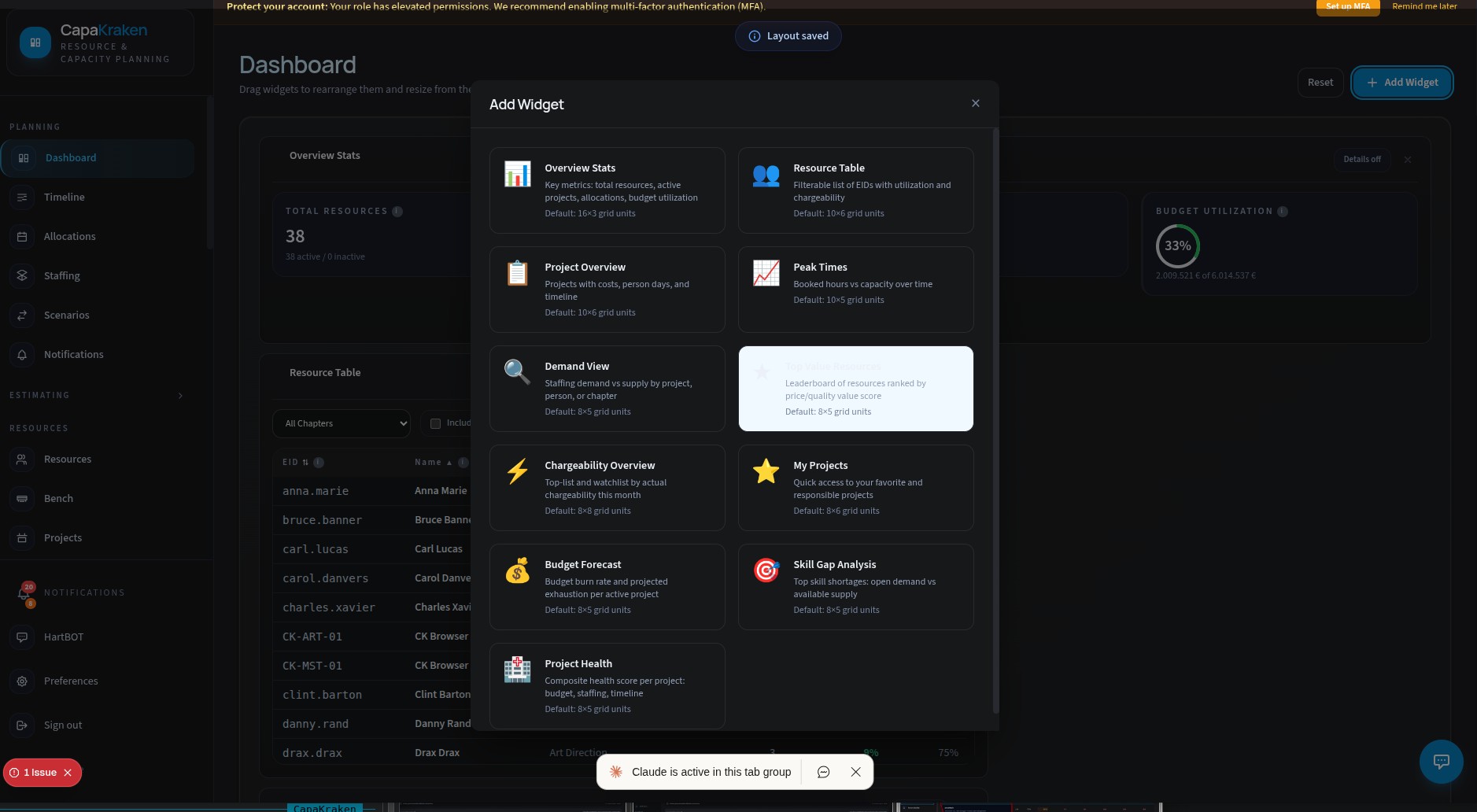
Customizable dashboard with widget catalog and drag-and-drop layout
|
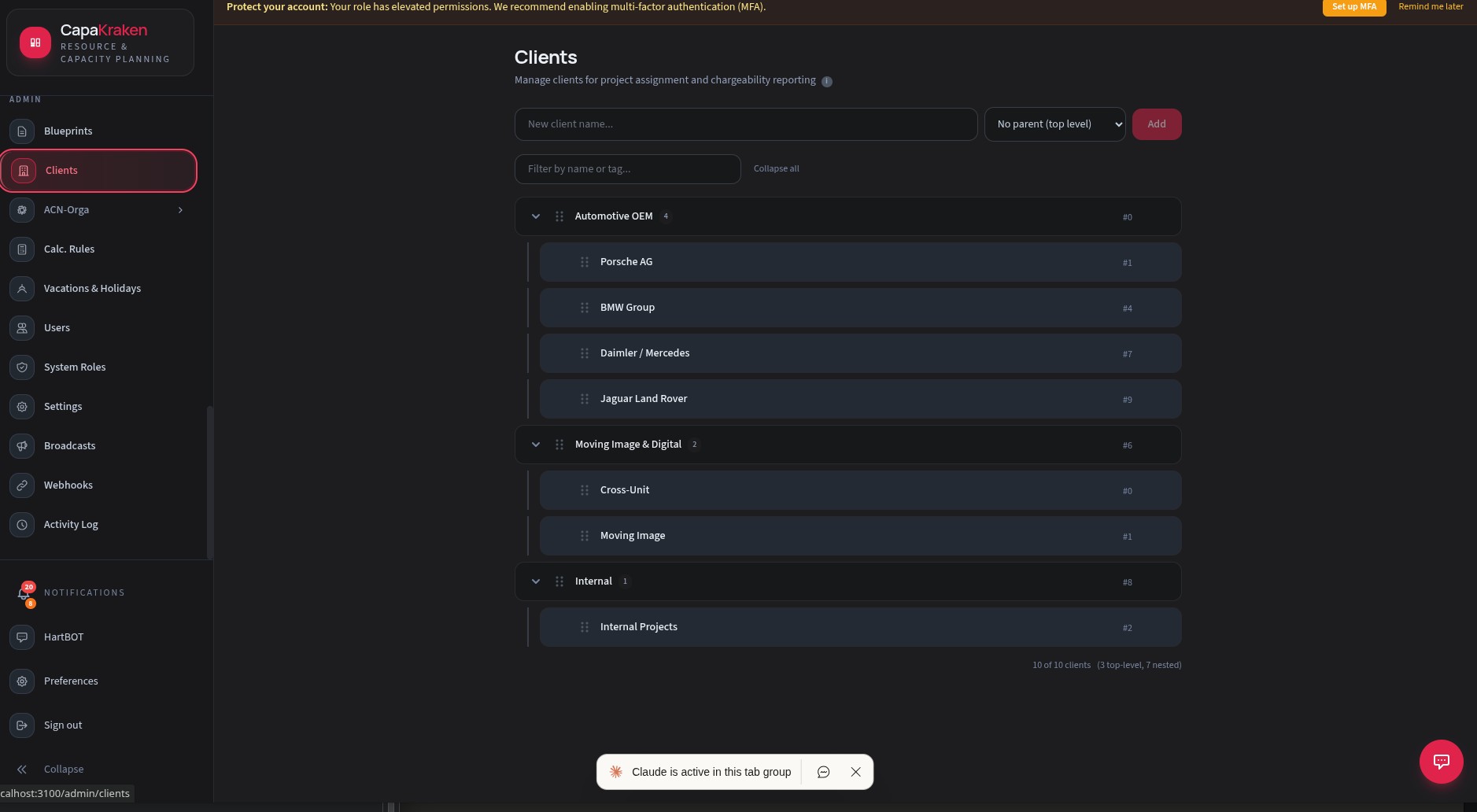
Client hierarchy management with drag-and-drop reordering
|
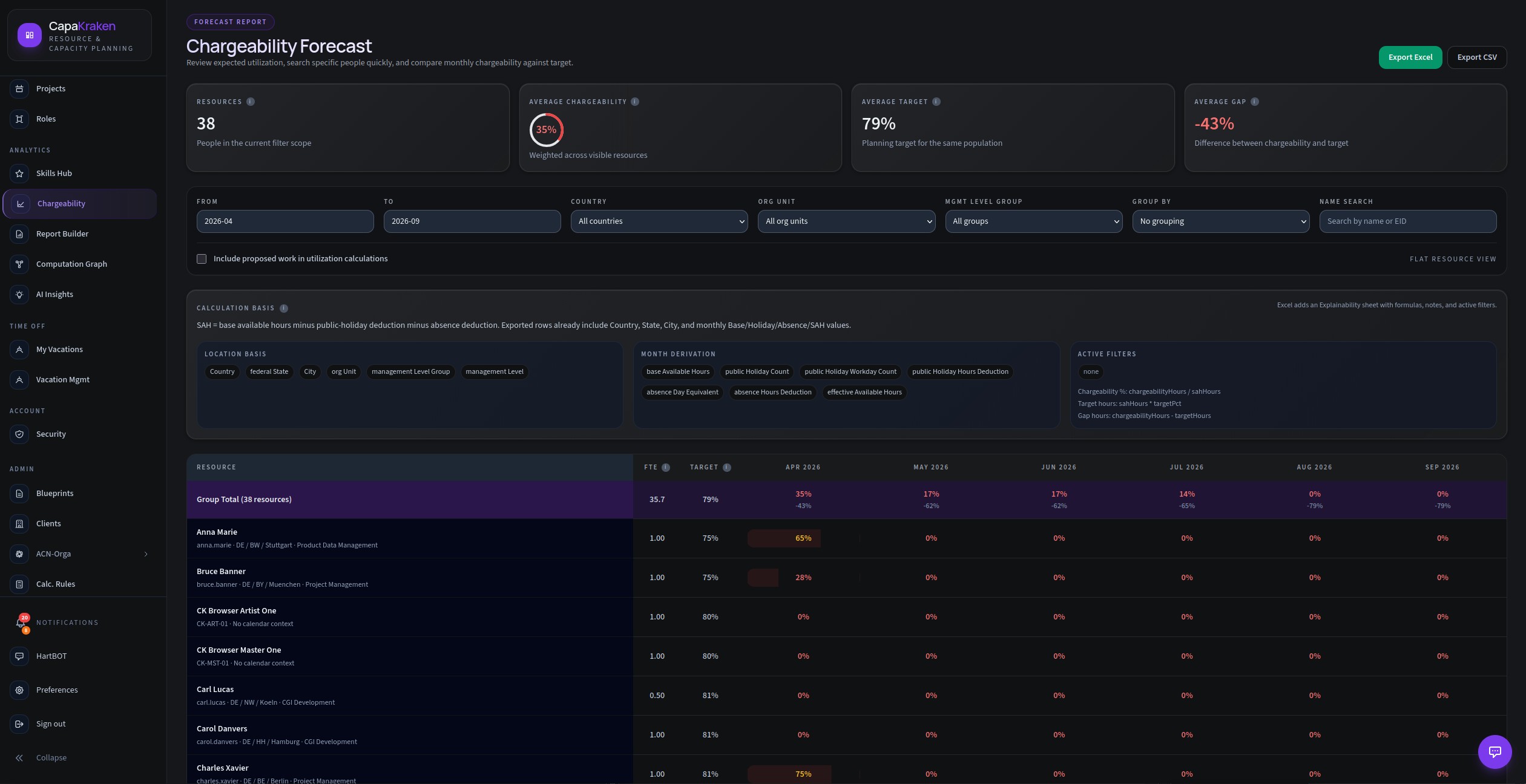
Chargeability overview with per-resource utilization heatmap
|
---
## Tech Stack
| Layer | Technology |
|-------|-----------|
| **Frontend** | Next.js 15 (App Router), React 19, Tailwind CSS v4 |
| **API** | tRPC v11 (end-to-end type safety) |
| **Database** | PostgreSQL 16 via Prisma ORM |
| **Auth** | Auth.js v5 with Argon2 password hashing, TOTP MFA |
| **Realtime** | Server-Sent Events (SSE) with Redis pub/sub |
| **Monorepo** | pnpm workspaces + Turborepo |
| **Testing** | Vitest (unit), Playwright (E2E) |
| **Containerization** | Docker Compose (dev + prod) |
### Monorepo Structure
```
capakraken/
├── apps/web/ # Next.js frontend + API routes
├── packages/
│ ├── shared/ # Types, schemas, constants shared across packages
│ ├── db/ # Prisma schema, migrations, seed scripts
│ ├── engine/ # Pure calculation logic (SAH, chargeability, budget)
│ ├── staffing/ # AI-assisted staffing and capacity analysis
│ ├── application/ # Use-case layer (business logic orchestration)
│ ├── api/ # tRPC routers and procedures
│ └── ui/ # Shared UI components (planned)
└── tooling/
├── docker/ # Dev container entrypoint scripts
├── deploy/ # Production deployment scripts
├── eslint/ # Shared ESLint config
└── typescript/ # Shared tsconfig bases
```
---
## Getting Started
### Prerequisites
| Requirement | Minimum Version |
|-------------|----------------|
| **Node.js** | 20.x |
| **pnpm** | 9.x |
| **Docker** + **Docker Compose** | Docker 24+, Compose v2 |
### 1. Clone and configure
```bash
git clone capakraken
cd capakraken
# Create your environment file from the template
cp .env.example .env
```
Edit `.env` and fill in the required values:
```bash
# Required -- generate with: openssl rand -base64 32
NEXTAUTH_SECRET=
# Required -- your app URL (use http://localhost:3100 for local dev)
NEXTAUTH_URL=http://localhost:3100
# Required for pgAdmin (any password)
PGADMIN_PASSWORD=admin
```
The database connection, Redis, and SMTP are pre-configured for Docker Compose and work out of the box.
### 2. Start with Docker (recommended)
```bash
# Start everything (PostgreSQL, Redis, MailHog, app)
bash scripts/start.sh
```
This will:
1. Start PostgreSQL and Redis containers
2. Build the app container (first run takes a few minutes)
3. Run Prisma migrations automatically
4. Start the Next.js dev server
Once ready, open **http://localhost:3100** in your browser.
### 3. Start without Docker (host-native)
```bash
# Install dependencies
pnpm install
# Start PostgreSQL and Redis (still via Docker)
docker compose up -d postgres redis
# Generate Prisma client and run migrations
pnpm db:generate
pnpm db:migrate
# Start the dev server
pnpm dev
```
### 4. Create your first user
On the login page, click **Sign up** to create an admin account. The first user is automatically granted admin privileges.
---
## Available Services
| Service | URL | Description |
|---------|-----|-------------|
| **App** | http://localhost:3100 | Main application |
| **MailHog** | http://localhost:8025 | Email testing UI (catches all outgoing mail) |
| **pgAdmin** | http://localhost:5050 | Database administration |
| **PostgreSQL** | localhost:5433 | Direct database access |
| **Redis** | localhost:6380 | Cache and pub/sub |
---
## Scripts Reference
### Application Lifecycle
```bash
bash scripts/start.sh # Start all services
bash scripts/stop.sh # Stop all services
bash scripts/restart.sh # Stop + start
```
### Development
```bash
pnpm dev # Start Next.js dev server (host-native)
pnpm build # Production build
pnpm lint # ESLint across all packages
pnpm test:unit # Run unit tests (Vitest)
pnpm test:e2e # Run E2E tests (Playwright)
```
### Database
```bash
pnpm db:generate # Regenerate Prisma client
pnpm db:migrate # Create and apply migrations
pnpm db:push # Push schema changes (no migration file)
pnpm db:studio # Open Prisma Studio
pnpm db:seed # Seed demo data
pnpm db:doctor # Health check on database state
```
### Quality Gates
```bash
pnpm test:unit # Unit tests
pnpm --filter @capakraken/web exec tsc --noEmit # Type check
pnpm lint # Linting
pnpm check:architecture # Architecture guardrails
```
---
## Production Deployment
CapaKraken ships with a Docker Compose production stack (`docker-compose.prod.yml`) and a deployment script:
```bash
# Set required environment variables
export APP_IMAGE=ghcr.io/your-org/capakraken-app:latest
export MIGRATOR_IMAGE=ghcr.io/your-org/capakraken-migrator:latest
export POSTGRES_PASSWORD=
# Deploy
bash tooling/deploy/deploy-compose.sh production
```
The production stack includes:
- Multi-stage Docker build with standalone Next.js output
- Automatic database migrations via a sidecar migrator container
- Redis with password authentication
- Health check and readiness probe at `/api/ready`
- Configurable via environment files (`.env.production`, `deploy.env`)
---
## Environment Variables
See [`.env.example`](.env.example) for the full reference with descriptions. Key variables:
| Variable | Required | Description |
|----------|----------|-------------|
| `NEXTAUTH_URL` | Yes | Public app URL |
| `NEXTAUTH_SECRET` | Yes | JWT signing secret |
| `DATABASE_URL` | Yes | PostgreSQL connection string |
| `REDIS_PASSWORD` | Prod | Redis authentication |
| `SMTP_HOST` | No | Email delivery (optional, configurable via Admin UI) |
| `AZURE_OPENAI_API_KEY` | No | AI-assisted staffing features |
| `GEMINI_API_KEY` | No | Alternative AI provider |
---
## Project Structure Highlights
### Layers
The codebase follows a clean layered architecture:
```
UI (apps/web)
↓ tRPC calls
API (packages/api)
↓ orchestrates
Application (packages/application)
↓ delegates to
Engine (packages/engine) -- pure calculations, no I/O
Staffing (packages/staffing) -- AI-assisted matching
DB (packages/db) -- Prisma schema and data access
Shared (packages/shared) -- types, schemas, constants
```
### Design Principles
- **Money as integer cents** -- all monetary values stored and calculated in cents to avoid floating-point drift
- **Strict TypeScript** -- no `any`, strict null checks, explicit Prisma casts at package boundaries
- **Domain-driven packaging** -- each bounded context (estimating, chargeability, staffing) lives in its own package
- **Real-time by default** -- SSE pushes allocation and project changes to all connected clients via Redis pub/sub
- **Theme-aware UI** -- configurable accent color system with full dark mode support
---
## Contributing
1. Create a feature branch from `main`
2. Follow the existing code style (ESLint + Prettier enforce it)
3. Add tests for new business logic (especially in `packages/engine`)
4. Ensure all quality gates pass before opening a PR
5. Keep commits focused and well-described
---
## License
Proprietary. All rights reserved.
---
Built with TypeScript, Next.js, and a lot of coffee.